

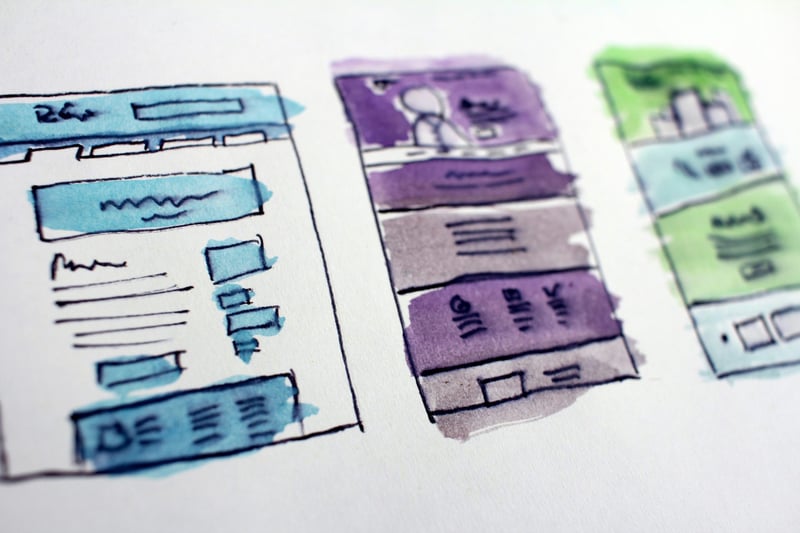
Start from the home, pricing, blog or contact template, or a blank page with the sections you need.

Northwind Analytics
A short customer story next to a round person photo.
OMNI QA · every module on one page
Each group starts with a section separator that names the module. The free modules come first; the modules that only ship in OMNI Pro sit at the bottom.
QA 1 · Hero banner · full width · small · image background from the File Manager, served at 1920 px
Split layout, light text on a dark overlay.
QA 2 · Hero banner · inset panel · full screen · honeycomb
Centered layout in an inset panel that fills the screen below the header.
QA 3 · Hero banner · fixed 1100 px · custom 420 px · gradient
Contained panel with rounded corners.
QA 4 · Hero banner · stacked · screenshot in a device-style frame · checklist and button after the media · Dark color mode · centered
You should not need a developer to launch a page. OMNI gives marketing every section in HubSpot's drag-and-drop editor, on brand from the first draft.

QA 5 · Hero banner · e-mail sign-up under the text · two steps · the note sits under the field
Type an address and the next step opens with it already filled in, so the hero itself loads no form script.
No credit card required · Cancel anytime · See how OMNI compares

QA 6 · Hero banner · Pro typewriter · the accent phrase is typed · centered · cursor on
The phrases take turns in place of the accent phrase. The first one is in the page source, so the heading is there before the script runs.
QA 8 · CTA Band · split · swapped
Text beside buttons with the sides swapped.
No credit card required
QA 10 · CTA Band · text and form · contact details · buttons with the form
A form beside the text, with contact rows. The form placeholder only shows in the editor.
QA 11 · CTA Band · text and HubSpot meeting · booking calendar instead of the form · narrow column
Pick a day and a time that suits you. The calendar is a HubSpot scheduling page, shown in place of the form.
QA 12 · CTA Band · HubSpot meeting only · wide calendar with the times beside it · light background
QA 13 · CTA Band · text and SVG · SVG at 140 % · sides cropped
Above 100 % the SVG grows past its column and the media area crops the sides.
QA 14 · CTA Band · custom SVG tile drawn at 1920 × 1080 · repeated at 960 px
A polygon net drawn as one 1920 × 1080 tile, shown at 960 px so the net is twice as dense. Set Tile width to 0 for the drawn size.
QA 15 · CTA Band · anchors · buttons scroll to sections further down (Anchor ID on the statistics row, the comparison table and the customer story)
Each button links to #anchor. The page scrolls smoothly and stops below the header.
QA 16 · Feature cards grid · tinted, circle images, centered
A short customer story next to a round person photo.
QA 17 · Feature cards grid · portrait 4:5 images

A short customer story next to a round person photo.
QA 18 · Feature cards grid · heading column on the left that stays in view · two buttons
Disconnected templates and one-off code slow marketing teams down. OMNI gives you every section you need in HubSpot's drag-and-drop editor: On brand, fast and without a developer backlog.
QA 19 · Text and media split · SVG at 60 % · custom SVG pattern · 800 px tiles
The SVG fills 60 % of its media area, and the background repeats a 200 px SVG tile at 800 px.
QA 20 · Image and logo scroller · marquee · H2 heading · zoom on hover
QA 21 · Image and logo scroller · marquee · label heading · dark background · lift on hover · moves right
QA 22 · Image and logo scroller · logo grid · 3 columns · 3 on tablets · 2 on phones
QA 23 · Image and logo scroller · image carousel · heading, lead and button beside the row (left or right)
Customer stories as an image carousel with the text column at the left.
QA 24 · Image and logo scroller · marquee · text beside the row, LEFT (choose left or right) · larger label · eyebrow, title and lead
Teams on four continents build their sites on OMNI.
QA 25 · Statistics row · whole numbers · thousands separator (Styles → Layout: comma, space, period or none) · decimal mark (own choice) · six statistics incl. Lighthouse scores
18
flexible modules
A whole number renders without decimals.
1,250+
pages published
Thousands get the separator from Styles → Layout.
4.8
average rating
One decimal, kept in the count-up.
99.95%
uptime
Two decimals with a suffix.
98%
mobile performance in Lighthouse
Measured on the OMNI home page.
100%
desktop performance in Lighthouse
Six statistics wrap onto two rows.
QA 26 · Testimonial quotes · split layout · File Manager photo resized (480/800/1200)

“We rebuilt our website on OMNI in three weeks. Marketing now publishes a landing page in an afternoon, and every page loads faster than our old custom build.
QA 27 · Testimonial quotes · default content
“We rebuilt our marketing site on OMNI in two weeks. Now the team launches landing pages on its own instead of waiting for developers.
QA 28 · Testimonial quotes · default content
“The growth plan gave marketing and sales one set of numbers. We finally know which activities create pipeline.
“Read the customer storyWe launched the new website in six weeks, and qualified demo requests doubled the quarter after.
“A clear onboarding program turned first-year customers into our strongest references.
QA 29 · Testimonial quotes · default content
“The growth plan gave marketing and sales one set of numbers. We finally know which activities create pipeline.
“Read the customer storyWe launched the new website in six weeks, and qualified demo requests doubled the quarter after.
“A clear onboarding program turned first-year customers into our strongest references.
QA 30 · Questions and answers accordion · FAQ with structured data
Most teams publish their first pages within days. Set colors, fonts and buttons once in the theme settings, then build pages from ready-made sections.
Yes. Every section is drag and drop, and every module has settings for content, layout and style.
Yes. The questions and answers module adds FAQPage data, and the comparison table can add WebPage and ItemList data.
OMNI works on every Content Hub edition. Some HubSpot features, such as smart content, need a higher edition.
QA 31 · Pricing plans · default content
Start free for 14 days. No credit card required.
For small teams getting started.
€ 15 / month, billed yearly
What’s included
For teams scaling their pipeline.
€ 31 / month, billed yearly
Everything in Starter, plus
For organisations with advanced needs.
Custom
Tailored to your organisation
Everything in Growth, plus
Prices exclude VAT. Cancel anytime.
QA 32 · Comparison table · default content
| Features | Starter €15 / month Choose Starter | Recommended Growth €31 / month Choose Growth | Enterprise Custom pricing Talk to sales |
|---|---|---|---|
| Core features | |||
| Users | 3 | 15 | Unlimited |
| Dashboards and reports | Basic | Advanced | Custom |
| Integrations CRM, finance and support tools | 5 | 50 | Unlimited |
| API access | Not included | Included | Included |
| Security and support | |||
| E-mail support | Included | Included | Included |
| Dedicated success manager | Not included | Not included | Included |
| Single sign-on (SSO) SAML and OpenID Connect | Not included | Included | Included |
| Uptime SLA | Not included | 99.9 % | 99.99 % |
QA 33 · Comparison table · comparison page options · H2 · reviewed date
Updated:
A good HubSpot theme is the better choice for most SaaS and B2B websites. It launches in days instead of months, costs a fraction of a custom build and lets marketing publish without a developer. A custom build is worth it when you need features or a design no theme offers, and the budget to maintain them.
| Dimension | Best for most teams HubSpot theme A well-built theme such as OMNI | Custom build Designed and coded for one website |
|---|---|---|
| Upfront cost | Free to about €1,000, one-time | Often €15,000 or more |
| Time to launch | Days to a few weeks | Typically 2–4 months |
| Pages built by marketers | Included | Depends on the build |
| Quality review | HubSpot's Marketplace review | Up to your agency |
| Updates | New versions from the theme provider | Paid developer time |
| Design freedom | Your brand within the theme's layouts | Anything you can design |
| Best for | Most SaaS and B2B websites | Unique features, integrations or brand experiences |
Cost and time are typical for a 10–30 page B2B website and vary by agency and scope.
QA 34 · Articles and insights grid · instant filter chips on a real blog
A growing share of B2B buying journeys now starts with a question to ChatGPT, Perplexity or Google's AI Overvi…
· The team behind OMNI (Spring Agency)
The question is not which CMS is best. The question is where your customer data should live. When the form, th…
· The team behind OMNI (Spring Agency)
Slow pages lose demos before the headline loads, and Google measures the delay. But most performance problems …
· The team behind OMNI (Spring Agency)
OMNI gives you 18 modules, six call-to-action layouts and a full set of page templates. It gives you zero argu…
· The team behind OMNI (Spring Agency)
Most B2B websites follow the same cycle. A big redesign, a launch, and then 35 months of slow decay while buye…
· The team behind OMNI (Spring Agency)
QA 35 · Team members grid · elevated, lift, whole card links, tablet 2

QA 36 · Process steps timeline · horizontal · numbers
Day 1
Add the free theme to your HubSpot account from the Template Marketplace.
Day 1
Choose colors, fonts and buttons once in the theme settings.
Week 1
Start from templates and sections, then drag in the modules you need.
Week 2
Publish, measure in HubSpot and keep improving – without code.
QA 37 · Process steps timeline · vertical · alternate · icons · cards · dark inset
Day 1
Add the free theme to your HubSpot account from the Template Marketplace.
Day 1
Choose colors, fonts and buttons once in the theme settings.
Week 1
Start from templates and sections, then drag in the modules you need.
Week 2
Publish, measure in HubSpot and keep improving – without code.
QA 38 · Process steps timeline · six steps · three per row · check marks · centered · dashed
Map where growth stalls today: Market, sales or existing customers.
Pick the few initiatives that move the pipeline and drop the busywork.
Create the website, offers and campaigns behind each bet.
Go live, brief sales and measure from day one.
Put budget behind the winners and stop what does not perform.
Turn proven routines into workflows that run on their own.
QA 39 · Link rows and guide · two columns · numbers
QA 40 · Link rows and guide · guide · heading beside · cards
Match your situation with the right starting point.
QA 41 · Content switcher with tabs · default content
Whether you sell subscriptions or complex solutions, OMNI has the pages and building blocks your buyers expect.
For SaaS companies
Product pages, pricing with monthly and yearly plans, comparison tables and customer proof – built to move people from first visit to sign-up.
Ship a complete marketing site in days with ready-made templates and sections.
Plans, a billing switch and comparison tables answer the questions buyers ask.
Forms, CTAs and CRM data work together from the very first visit.
For B2B companies
Show your expertise, guide buyers to the right solution and give sales pages they are proud to share.
Need-and-solution guides and link rows send each visitor to the right page.
Case studies, logos, testimonials and numbers exactly where decisions are made.
Contact forms, team pages and articles that keep conversations moving.
QA 42 · Site search (temporary)
Type to see suggestions and press Enter for the search results page. With ?term=omni in the address, the results for «omni» show below.
QA 43 · Feature cards grid · Dark color mode · no background set (the section paints the dark page background) · elevated cards on the dark card surface · light buttons
Disconnected templates and one-off code slow marketing teams down. OMNI gives you every section you need in HubSpot's drag-and-drop editor: On brand, fast and without a developer backlog.
QA 44 · Feature cards grid · Dark color mode · tinted cards and icon chips on the dark tints
A short customer story next to a round person photo.
QA 45 · Questions and answers accordion · Dark color mode · dividers, question hover and icons follow the dark palette
Most teams publish their first pages within days. Set colors, fonts and buttons once in the theme settings, then build pages from ready-made sections.
Yes. Every section is drag and drop, and every module has settings for content, layout and style.
Yes. The questions and answers module adds FAQPage data, and the comparison table can add WebPage and ItemList data.
OMNI works on every Content Hub edition. Some HubSpot features, such as smart content, need a higher edition.
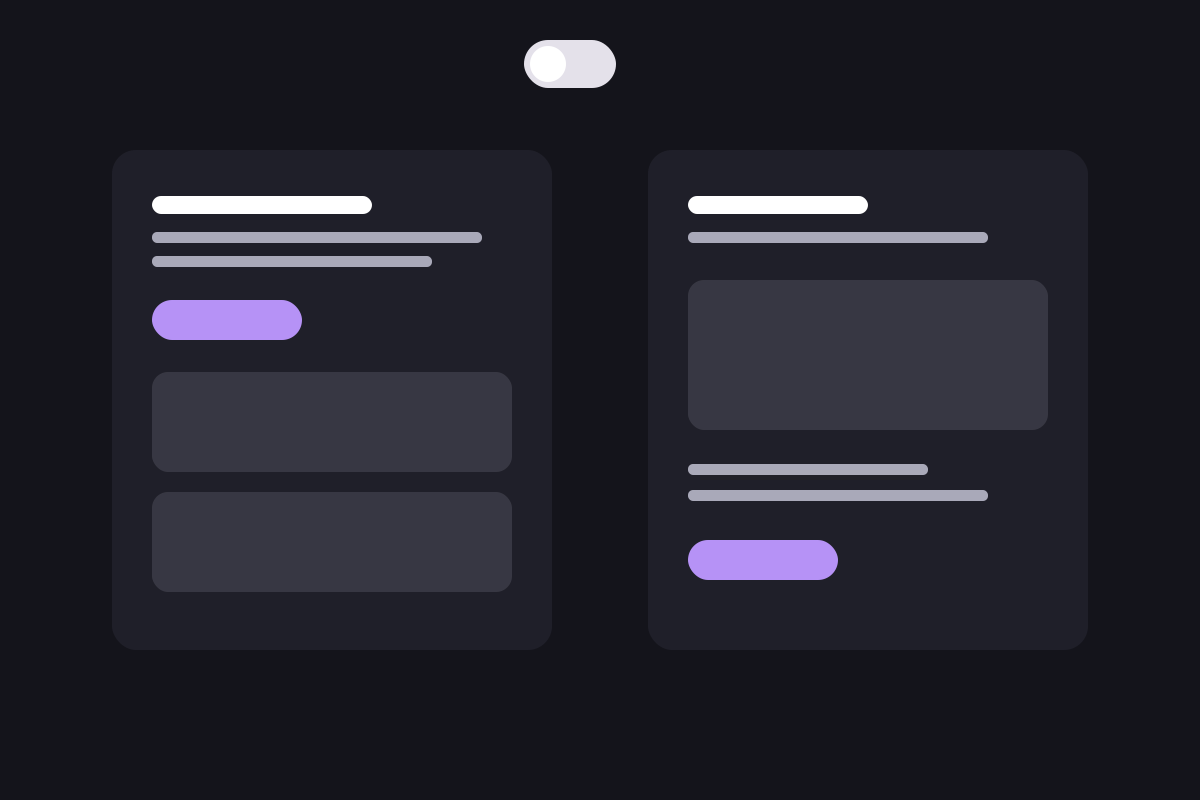
QA 46 · Pricing plans · Dark color mode · cards, switch track, check marks and notes
Start free for 14 days. No credit card required.
For small teams getting started.
€ 15 / month, billed yearly
What’s included
For teams scaling their pipeline.
€ 31 / month, billed yearly
Everything in Starter, plus
For organisations with advanced needs.
Custom
Tailored to your organisation
Everything in Growth, plus
Prices exclude VAT. Cancel anytime.
QA 47 · Comparison table · Dark color mode · regular body-color values · accent values in the highlighted column · dark badge text · table surface, zebra rows, group rows and lines
Updated:
A good HubSpot theme is the better choice for most SaaS and B2B websites. It launches in days instead of months, costs a fraction of a custom build and lets marketing publish without a developer. A custom build is worth it when you need features or a design no theme offers, and the budget to maintain them.
| Dimension | Best for most teams HubSpot theme A well-built theme such as OMNI | Custom build Designed and coded for one website |
|---|---|---|
| Upfront cost | Free to about €1,000, one-time | Often €15,000 or more |
| Time to launch | Days to a few weeks | Typically 2–4 months |
| Pages built by marketers | Included | Depends on the build |
| Quality review | HubSpot's Marketplace review | Up to your agency |
| Updates | New versions from the theme provider | Paid developer time |
| Design freedom | Your brand within the theme's layouts | Anything you can design |
| Best for | Most SaaS and B2B websites | Unique features, integrations or brand experiences |
Cost and time are typical for a 10–30 page B2B website and vary by agency and scope.
QA 48 · Articles and insights grid · Dark color mode · filter chips, cards, dates and tags
A growing share of B2B buying journeys now starts with a question to ChatGPT, Perplexity or Google's AI Overvi…
· The team behind OMNI (Spring Agency)
The question is not which CMS is best. The question is where your customer data should live. When the form, th…
· The team behind OMNI (Spring Agency)
Slow pages lose demos before the headline loads, and Google measures the delay. But most performance problems …
· The team behind OMNI (Spring Agency)
OMNI gives you 18 modules, six call-to-action layouts and a full set of page templates. It gives you zero argu…
· The team behind OMNI (Spring Agency)
Most B2B websites follow the same cycle. A big redesign, a launch, and then 35 months of slow decay while buye…
· The team behind OMNI (Spring Agency)
QA 49 · Team members grid · Dark color mode · elevated cards keep light text on the dark surface
QA 50 · Process steps timeline · Dark color mode · markers, line and step text
Day 1
Add the free theme to your HubSpot account from the Template Marketplace.
Day 1
Choose colors, fonts and buttons once in the theme settings.
Week 1
Start from templates and sections, then drag in the modules you need.
Week 2
Publish, measure in HubSpot and keep improving – without code.
QA 51 · Link rows and guide · Dark color mode · Background color left at the theme Surface color turns into the dark card surface
Match your situation with the right starting point.
QA 52 · Content switcher with tabs · Dark color mode · switcher track, active tab and cards · Background color at the theme Surface color
Whether you sell subscriptions or complex solutions, OMNI has the pages and building blocks your buyers expect.
For SaaS companies
Product pages, pricing with monthly and yearly plans, comparison tables and customer proof – built to move people from first visit to sign-up.
Ship a complete marketing site in days with ready-made templates and sections.
Plans, a billing switch and comparison tables answer the questions buyers ask.
Forms, CTAs and CRM data work together from the very first visit.
For B2B companies
Show your expertise, guide buyers to the right solution and give sales pages they are proud to share.
Need-and-solution guides and link rows send each visitor to the right page.
Case studies, logos, testimonials and numbers exactly where decisions are made.
Contact forms, team pages and articles that keep conversations moving.
QA 53 · Testimonial quotes · Dark color mode · carousel arrows and dots
“The growth plan gave marketing and sales one set of numbers. We finally know which activities create pipeline.
“Read the customer storyWe launched the new website in six weeks, and qualified demo requests doubled the quarter after.
“A clear onboarding program turned first-year customers into our strongest references.
QA 54 · Text and media split · Dark color mode · File Manager photo · custom SVG pattern hidden on dark
A dark section with a photo from the File Manager. The custom SVG pattern from the light version is off here, because a dark pattern color disappears on a dark background.

QA 55 · Image and logo scroller · Dark color mode · logos stay white
QA 56 · Expanding panels · hover opens, click plays a video, third panel links · panel row 120 px wider than the content on each side
Move the pointer over a panel. The preview shows a page from the demo site; the first two open a video in a lightbox, the third links to the home page.
QA 57 · Expanding panels · four panels · inset dark panel · panel 2 open at start · previews centered and right · swipe on phones

Plan every page as sections.

Keep the whole site on brand from theme settings.

Launch landing pages without waiting for a developer.

Measure real page speed, not promises.
Every OMNI module is a finished section. Click a side card, use the arrows, swipe on a phone or wait for the autoplay; the pause button stops it.

Five heights, split or centered layouts, any background and a heading that reveals line by line.

Six layouts from text and buttons to text and form, on a gradient, an image or a video.

Icons, images or numbers in two to four columns, with whole-card links and a sticky heading column.
Monthly and yearly prices with a switch, a highlighted plan and feature lists.
Every OMNI module is a finished section. Click a side card, use the arrows, swipe on a phone or wait for the autoplay; the pause button stops it.
Five heights, split or centered layouts, any background and a heading that reveals line by line.
Six layouts from text and buttons to text and form, on a gradient, an image or a video.
Icons, images or numbers in two to four columns, with whole-card links and a sticky heading column.
Monthly and yearly prices with a switch, a highlighted plan and feature lists.
Three content modules loop without end: The card that leaves one side comes back on the other.
Filter chips that switch topics instantly and cards that pull the featured image, date and reading time.

Yes, no or text values per row, a reviewed date and structured data search engines can read.
An accordion that opens smoothly and adds FAQ structured data by default.
QA 67 · Image wall · grid · 4 columns · 2×2, 1×2 and 2×1 tiles · dark and light cards · hover text · links
Photos and design cards in one dense grid. Every tile picks its size, smaller tiles fill the holes, and linked tiles lift on hover.
QA 68 · Image wall · collage · four columns · a wide tile pushes the next column down · offsets · dark inset panel
Every tile picks its column, height and space above. The wide tile in column three pushes column four down automatically.
QA 69 · Image wall · grid · 3 columns · brand tint on a photo · card with a photo behind it · no heading buttons · animations off
TeamThe people behind the pages

CareersJoin the teamOpen roles in Oslo and Bergen.

CultureWorkshops every Friday


QA 70 · Parallax people cards · six people · three per page · arrows and progress line · the persons run ahead while the cards slide · pointer parallax
Use the arrows or swipe: The cards slide a page at a time and the persons move faster than their frames. Move the pointer over a card for the layered parallax.

Turns rough ideas into pages that marketing can build on their own.
QA 71 · Parallax people cards · dark background · stronger parallax · deeper window · whole cards clickable
Turns rough ideas into pages that marketing can build on their own.

Keeps every module fast, accessible and easy to edit.
Helps teams launch their first OMNI site in days, not months.
Started OMNI after one too many custom builds nobody could edit.
Owns the roadmap and still answers support on Fridays.
Writes the words that make the demo site feel real.
QA 72 · Customer reviews · carousel · arrows in the heading row · Google summary card · logo and stars cards · portraits
![]()
We rebuilt our site on OMNI in three weeks. The team publishes new pages on their own now, and everything looks like one brand.
![]()
Landing pages that used to take a sprint now take an afternoon. The theme settings keep every page on brand.
![]()
The blog, the pricing page and the FAQ came ready to fill in. Our developer backlog for the website is empty.
![]()
Page speed went from red to green without touching code. Images and fonts are handled by the theme.
![]()
Our agency handed over the site and we have not needed them since. That was the whole point.

QA 73 · Customer reviews · grid · quotation mark cards · no summary · arrows off · dark inset panel
The Solver-style layout: A large mark, the quote and the name, three cards per row.
“We rebuilt our site on OMNI in three weeks. The team publishes new pages on their own now, and everything looks like one brand.
“Landing pages that used to take a sprint now take an afternoon. The theme settings keep every page on brand.
“The blog, the pricing page and the FAQ came ready to fill in. Our developer backlog for the website is empty.
QA 74 · Story panels · stack · contained rounded panels · framed images · four stories · the covered panel shrinks and dims
Scroll: Every panel sticks below the header and the next slides over it, as in the Lipscore reference.
How a five-person marketing team rebuilt the site in three weeks and doubled qualified demo requests the quarter after.
Resized images, one stylesheet and deferred scripts, without touching code. Mobile PageSpeed went from 41 to 88.
Product marketing owns the site now: Landing pages, pricing and the FAQ are built from OMNI sections in the editor.
The handover was the last invoice. Eighteen months later the site has 140 pages, all built in the editor.
Every section you need, styled from one settings panel, edited by drag and drop.
One stylesheet, resized images, calm motion that respects reduced motion.
Filter chips, reading time and structured data come with the template.
QA 76 · Story panels · fade · contained · wider text · no effect on phones
How a five-person marketing team rebuilt the site in three weeks and doubled qualified demo requests the quarter after.
Resized images, one stylesheet and deferred scripts, without touching code. Mobile PageSpeed went from 41 to 88.
Product marketing owns the site now: Landing pages, pricing and the FAQ are built from OMNI sections in the editor.
QA 77 · Advanced pricing · three currency pills switch every price · three product tabs with icons · badge across the top edge · plus markers · custom price · bundle card on the third tab · two-tone band
One theme for every site you build. OMNI Free for a single site, OMNI Pro for the high-end modules, or both as a bundle for agencies. Switch the currency and the product.
Every section a SaaS or B2B site needs, in HubSpot's drag-and-drop editor.
Starting from
NOK 0 €0 $0
forever
18 modules, page templates and the blog
The free theme plus the Pro modules, the mega menu and custom CSS per module.
Starting from
NOK 1 990 €179 $199
per site, per year
One site, updates for a year
For teams that run several sites and want a partner on call.
On request
Tailored offer, talk to us
OMNI Pro on five client portals, managed from one place.
Starting from
NOK 4 990 €449 $499
per site, per year
Five sites, updates for a year
Every client site on OMNI Pro, without counting.
Starting from
NOK 9 990 €899 $999
per site, per year
Unlimited sites, updates for a year
Bundle deal
Running your own site and client sites? We put together a bundle for your volumes. Talk to us and get a combined offer.
QA 78 · Advanced pricing · Dark color mode · no band · two pills · no tabs · pill-style tabs setting unused · outlined cards · accent outline on the highlighted plan · heading left
Prices in NOK or EUR. Without product tabs every plan sits in one row.
Every section a SaaS or B2B site needs.
0 kr €0
forever
The Pro modules, the mega menu and custom CSS.
Starting from
1 990 kr €179
per site, per year
Updates for a year
Several sites and a partner on call.
On request
Tailored offer, talk to us
QA 79 · Before and after · default content · cards · colored chips · closing line
Without OMNI
With OMNI
One theme, every section, one simple answer. Your team gets it, and keeps it.
QA 80 · Before and after · Dark color mode · plain rows · icon markers · minus and plus · heading left
The same content without cards, markers drawn in the column colors.
The old way
With OMNI
QA 81 · Score meter · default content · stacked · bars fill and the score counts up when scrolled into view · list panel
The OMNI demo site, measured with Lighthouse on a throttled phone. Scroll here and watch the bars fill.
omni-theme.com
97/ 100
Lighthouse performance, mobile
What we're improving
We do not hide behind a perfect score. We measure our own site, find the gaps and fix them, the way we help you do.
QA 82 · Score meter · Dark color mode · split layout · score beside the bars · no values · no panel
www.omni-theme.com
97/ 100
Lighthouse performance, mobile
QA 83 · Product tour · default content · panel left · stages advance every 4 s · pointer pauses · click a stage
Watch the panel play through the lines while the stages advance. Hover to pause, click a stage to jump.
Start from the home, pricing, blog or contact template, or a blank page with the sections you need.
Hero, cards, pricing, FAQ, quotes and more. Every module has settings for content, layout and style.
Theme settings paint every module at once, light or dark.
One click. Then read the numbers in HubSpot and keep improving.
QA 84 · Product tour · Dark color mode · panel right · wider stages · animations off (static, all lines done)
Start from the home, pricing, blog or contact template, or a blank page with the sections you need.
Hero, cards, pricing, FAQ, quotes and more. Every module has settings for content, layout and style.
Theme settings paint every module at once, light or dark.
One click. Then read the numbers in HubSpot and keep improving.
QA 85 · Calculator · default content · three sliders · four formula results · large highlight card · Send the results form under the results
Drag the sliders. Every result is a formula over the slider values, calculated in the browser.
Your current setup
All figures in NOK. Live calculation.
Edits, new landing pages, fixes and waiting for a developer.
Internal cost or the developer's rate.
Landing pages, campaign pages, product pages.
What your team keeps each year
–
about 70 % of the hours, freed up for content
Hours saved per month
–
Edits done by marketing in the editor
Pages you can ship per year
–
Twice the pace, with finished sections
Payback for OMNI Pro
–
Pro costs 1 990 kr a year per site
Email me these results
We send the numbers above to your inbox, nothing else.
Estimates. Your own numbers will differ.
QA 86 · Calculator · Dark color mode · results left · comma thousands · a formula with a condition and a division
Your current setup
All figures in NOK. Live calculation.
From HubSpot analytics.
Visits that become leads.
Leads per month
–
today
With 30 % more conversions
–
finished sections, clearer pages
Worth it from
–
a condition in the formula
Estimates. Your own numbers will differ.
QA 87 · Calculator · pricing calculator · slider with steppers and range labels · number box · dropdown · check box add-ons · one results panel · gradient highlight · rows · form under the whole calculator
Pick the number of sites and editors, choose a plan and tick the add-ons. The price updates as you go.
Your setup
Prices in USD, excluding VAT. Nothing is sent until you ask for it.
Each website is one HubSpot domain with the theme installed.
People who edit pages in the drag-and-drop editor.
Your price per month
–
Five editors are included, every extra editor is $4
Sites
–
Extra editors
–
Onboarding (one-off)
–
First year in total
–
Email me this quote
The whole setup above lands in your inbox as a written quote.
Estimates. Your own numbers will differ.
QA 88 · Table of contents · box in the page · numbered · reading progress · marks the section you are reading · manual entries
QA 89 · Table of contents · cards · gradient · four columns · descriptions · made for pillar and topic cluster pages
QA 90 · Table of contents · Dark color mode · folded away and back · entries without numbers
Back to topQA 91 · Text section · heading on the left · one column · a box that unfolds and a note · sticky heading
A text section is where the argument lives. It takes rich text, so headings, lists, links and quotes all follow the theme.
A quote inside the text reads as a pull quote, not as another paragraph.
Boxes sit between the paragraphs: one that unfolds when it is clicked, a note beside the argument, or a block that stands out.
QA 92 · Text section · heading on top · two columns · a block with an icon and a highlighted block · centered
A text section is where the argument lives. It takes rich text, so headings, lists, links and quotes all follow the theme.
A quote inside the text reads as a pull quote, not as another paragraph.
Boxes sit between the paragraphs: one that unfolds when it is clicked, a note beside the argument, or a block that stands out.
The second column only appears in the two-column layout. Split the text where it makes sense to read.
Each column has its own boxes, so a note can sit beside the paragraph it belongs to.
QA 93 · Text section · Dark color mode · heading on the right · narrow line length
A text section is where the argument lives. It takes rich text, so headings, lists, links and quotes all follow the theme.
A quote inside the text reads as a pull quote, not as another paragraph.
Boxes sit between the paragraphs: one that unfolds when it is clicked, a note beside the argument, or a block that stands out.